Hello, Ohana: the whole family, in one place
What Ohana is, why we're building it and how to start. Your family's calendar, tasks, groceries and money in one calm view for iPhone.

Ohana means "family". It's an iPhone app that brings together what a family needs to understand each other at home: the calendar, the tasks, the groceries and the money.
This is the first post on the blog. Here we'll explain, without rushing and with real examples, how to use Ohana and what each part does. Today we start with the basics: what it is, why it exists and where to begin.
Why it exists
A family's life is usually spread over five places at once. A chat for the groceries, a calendar only one person checks, a note with what needs paying, a list on the fridge. Each one works, but nobody sees the whole picture, and it almost always ends up on the same person's shoulders.
Ohana is here for that: so everyone sees the same thing and the effort is visible. It doesn't try to make your family more productive. It tries to make it calmer.
The first thing you'll see: the Summary
When you open Ohana you land on the Summary, a screen that tells you about your day without you having to look for anything.
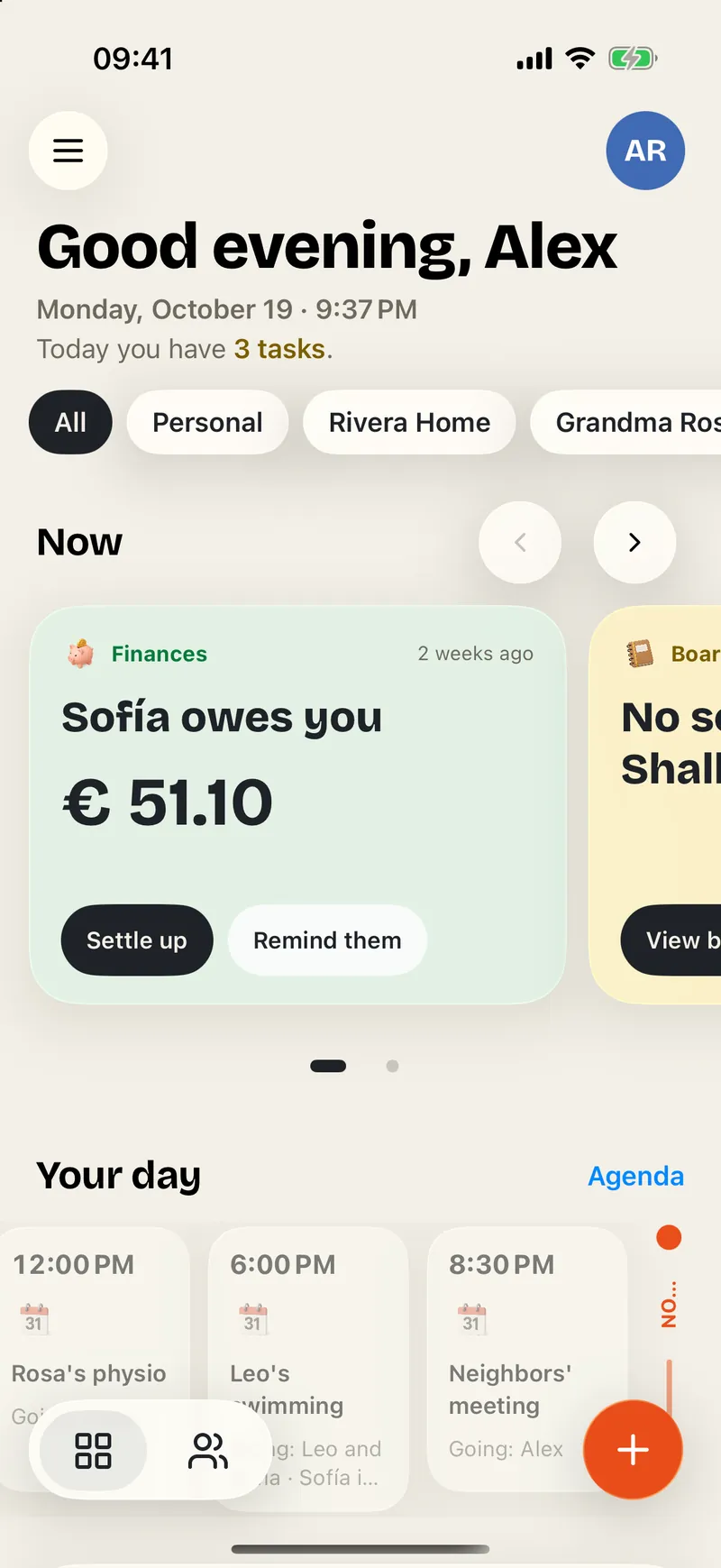
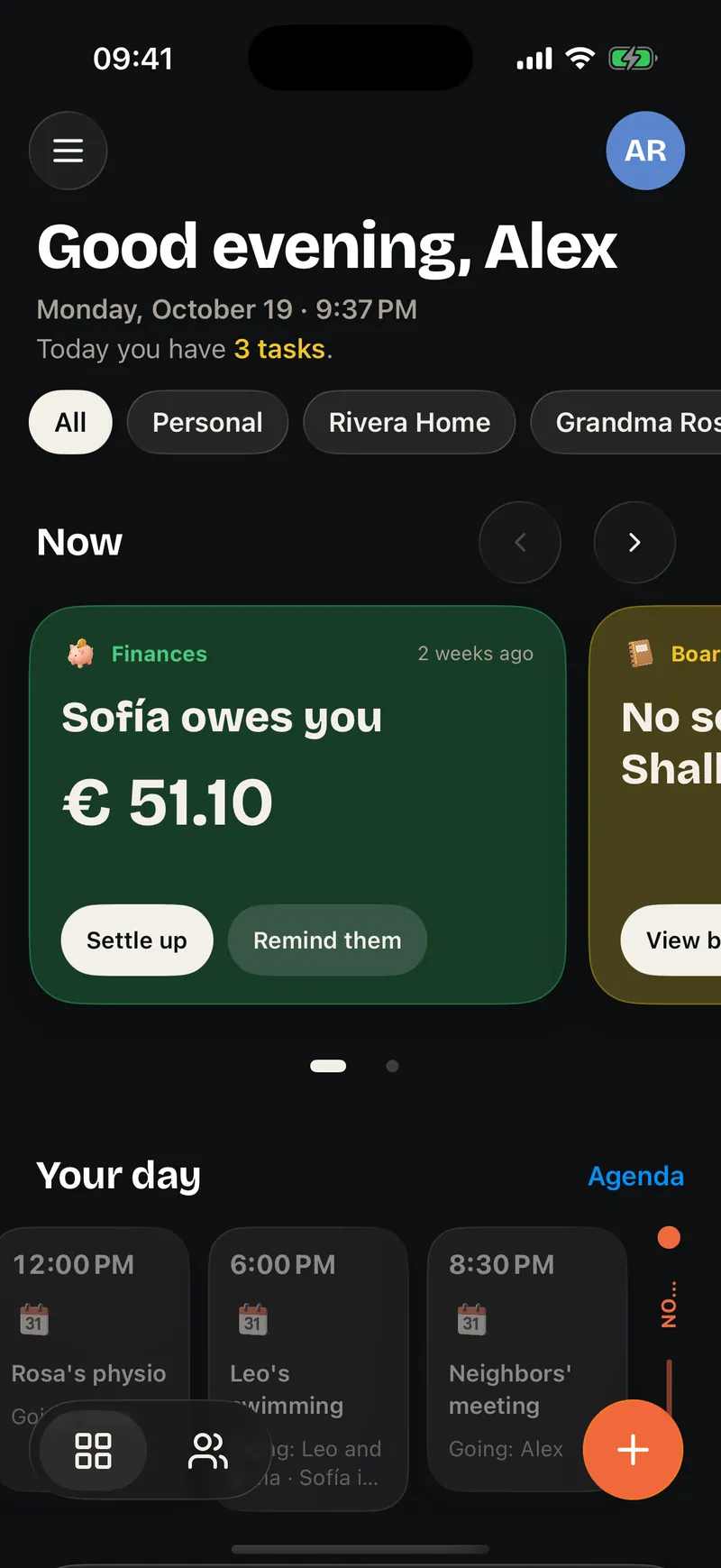
At the top are the Now cards, what needs attention at this moment: Leo's swimming in two hours, what Sofía owes you, the groceries running short. Below, Your day and what's due today, in order.
And there's the "+" button. You can type or dictate what you want to note in your own words, like "dinner with Marta on Saturday", and Ohana prepares it so you only have to confirm.
Three modules to start
Ohana grows by modules. Today the first three already work in the test builds we use every day.
Tasks
This is where what needs doing lives. Today gathers everything pending from all your spaces. Shopping is a list that changes for everyone at once: what someone adds from home is already in the cart when you reach the store.
Housework is shared by zone, with turns that rotate on their own and points for whoever helps. And routines turn the moments that repeat, like the morning or bedtime, into easy steps with a time, a streak and a reward.
Calendar
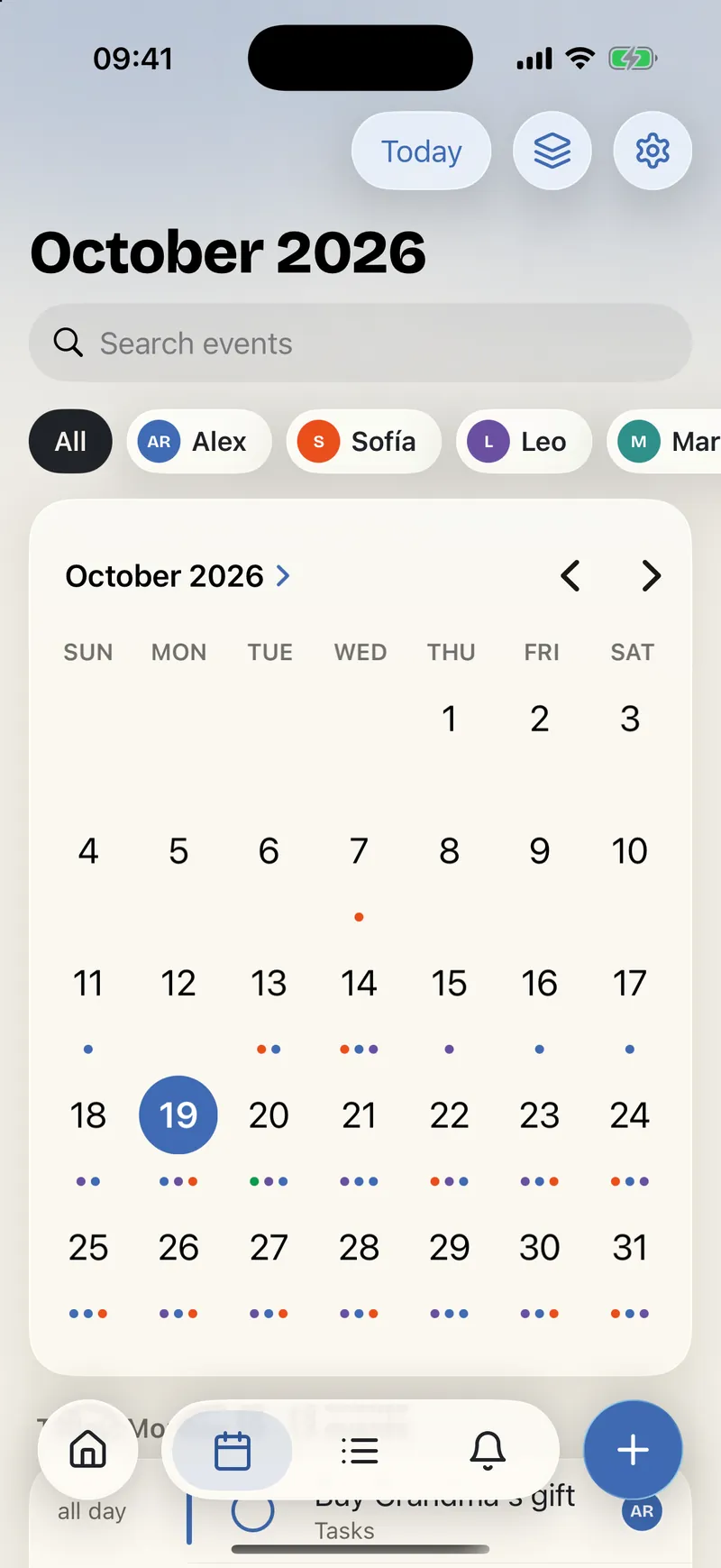
One calendar per space, with a colored dot per person: at a glance you know who has something and when you need to coordinate. Every plan says who's going and who's driving, and your iPhone calendars can sit next to the family's without mixing.
Finances
The family's money, without calculator arguments. Ohana notes who paid what, works out who owes whom, watches the budgets and keeps the piggy banks. Receipts and bank screenshots are read on the iPhone itself and arrive in a tray for you to review before anything is saved.
Here is how they look inside, one after another:
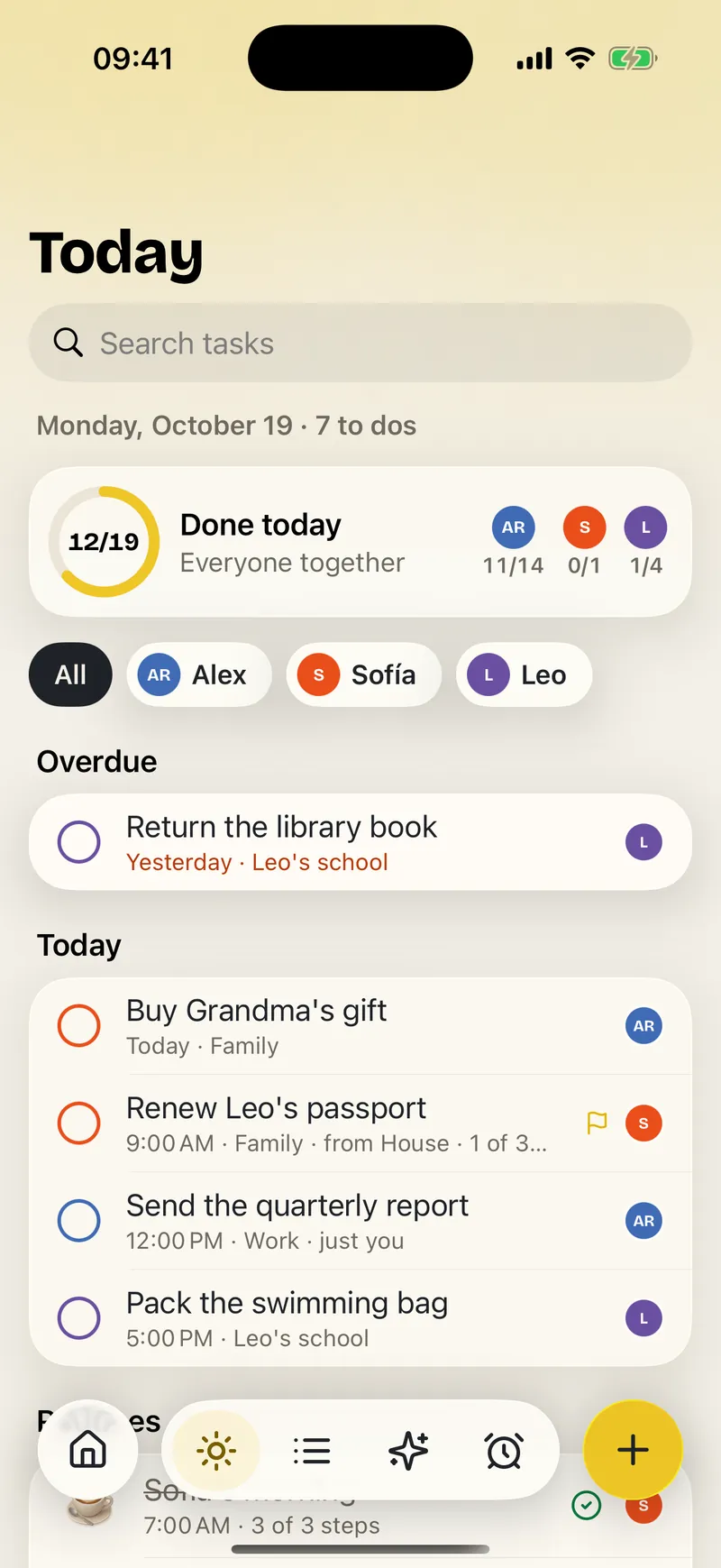
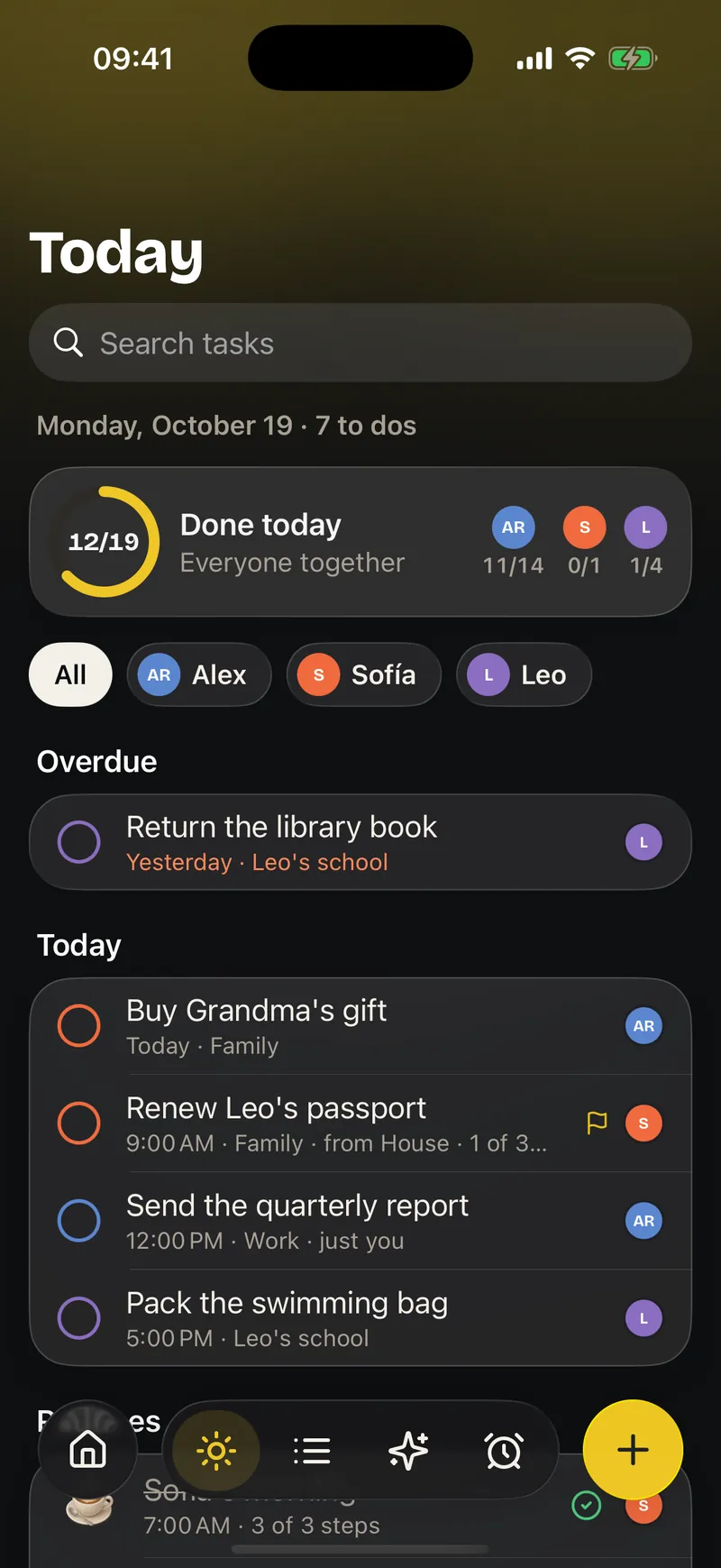
Today
Everything pending from all your spaces, gathered in one view. What is overdue comes first, today comes next, and each task shows who has it.
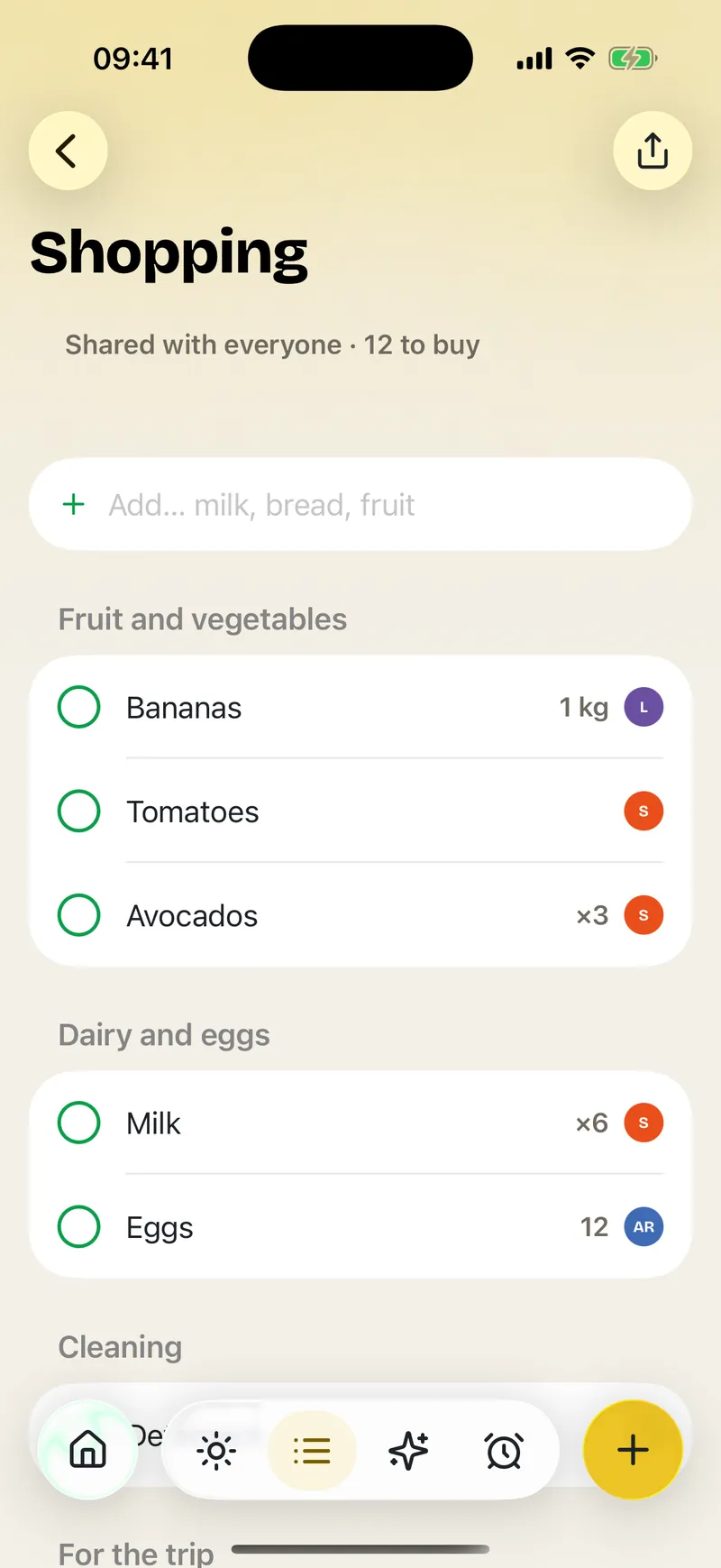
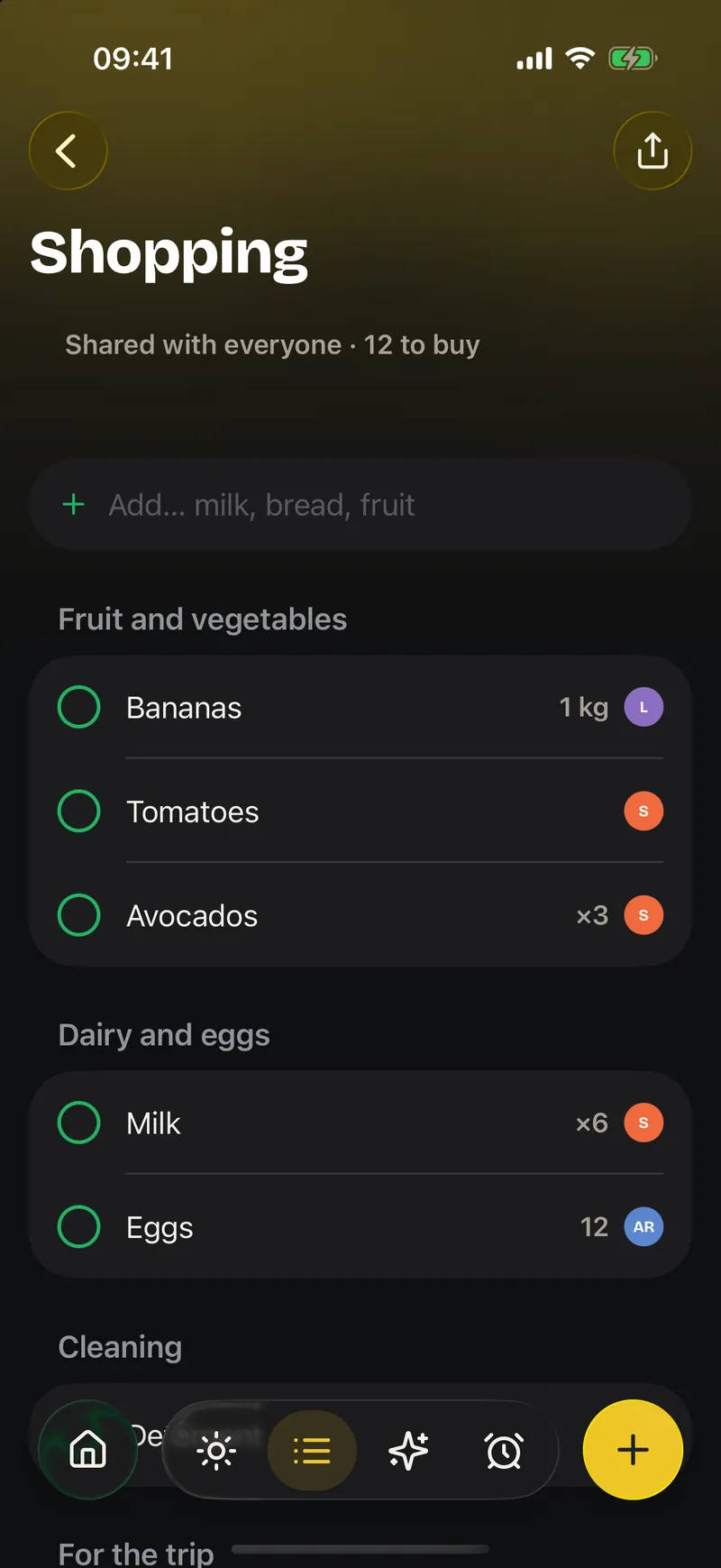
Shopping
The shopping list is the same for everyone. When someone ticks something off, everybody sees it at once, so nobody buys the same thing twice.
Month
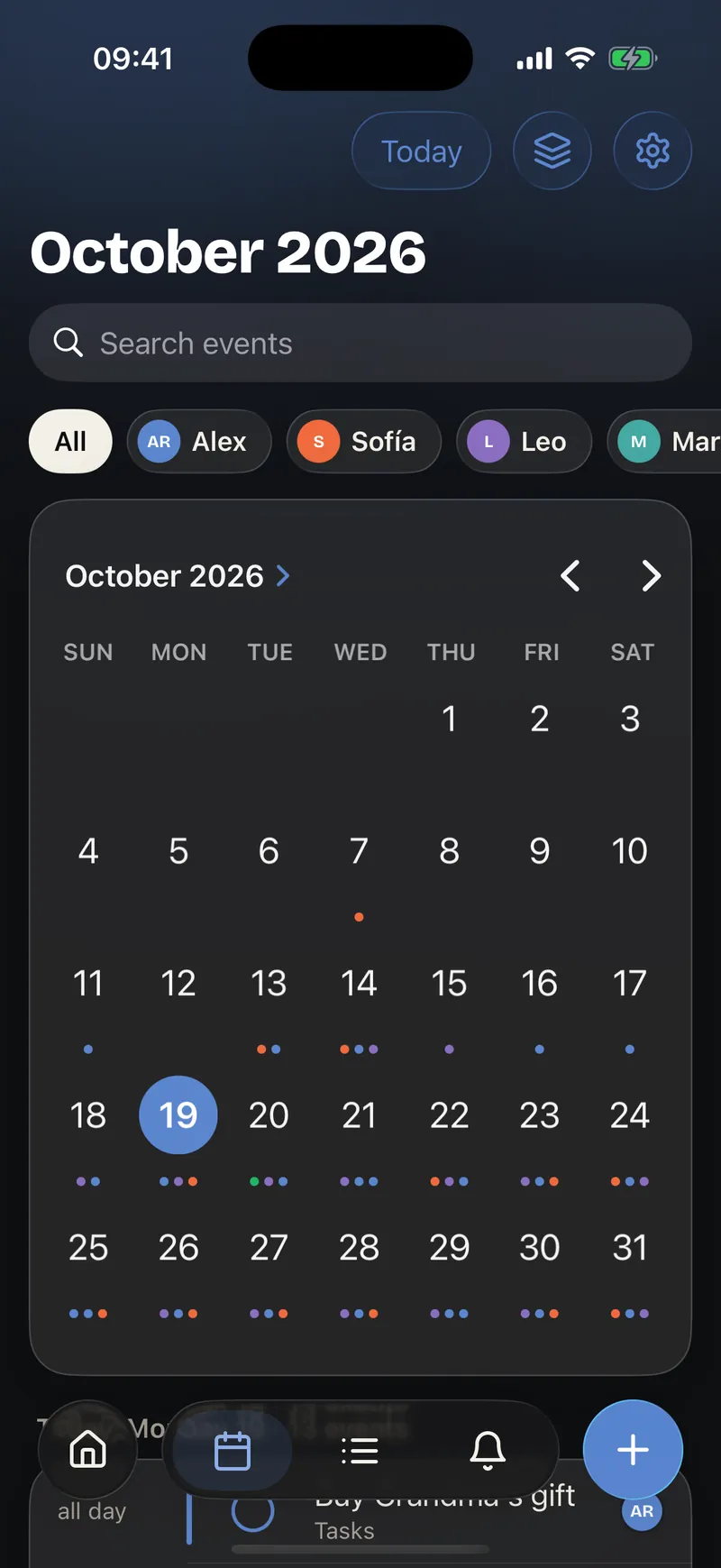
The whole family's month at a glance. Each person has their own color, so you can see right away who has plans on any day.
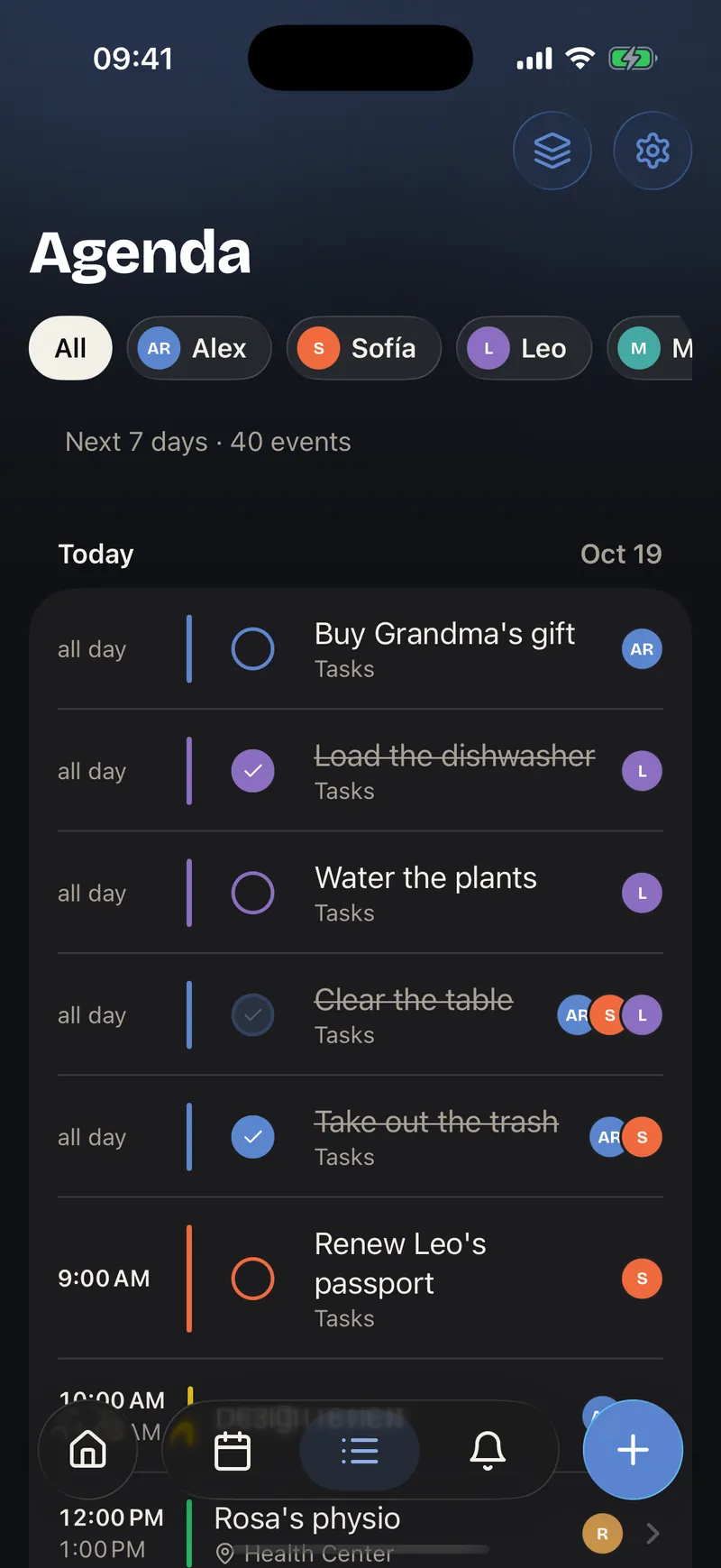
Agenda
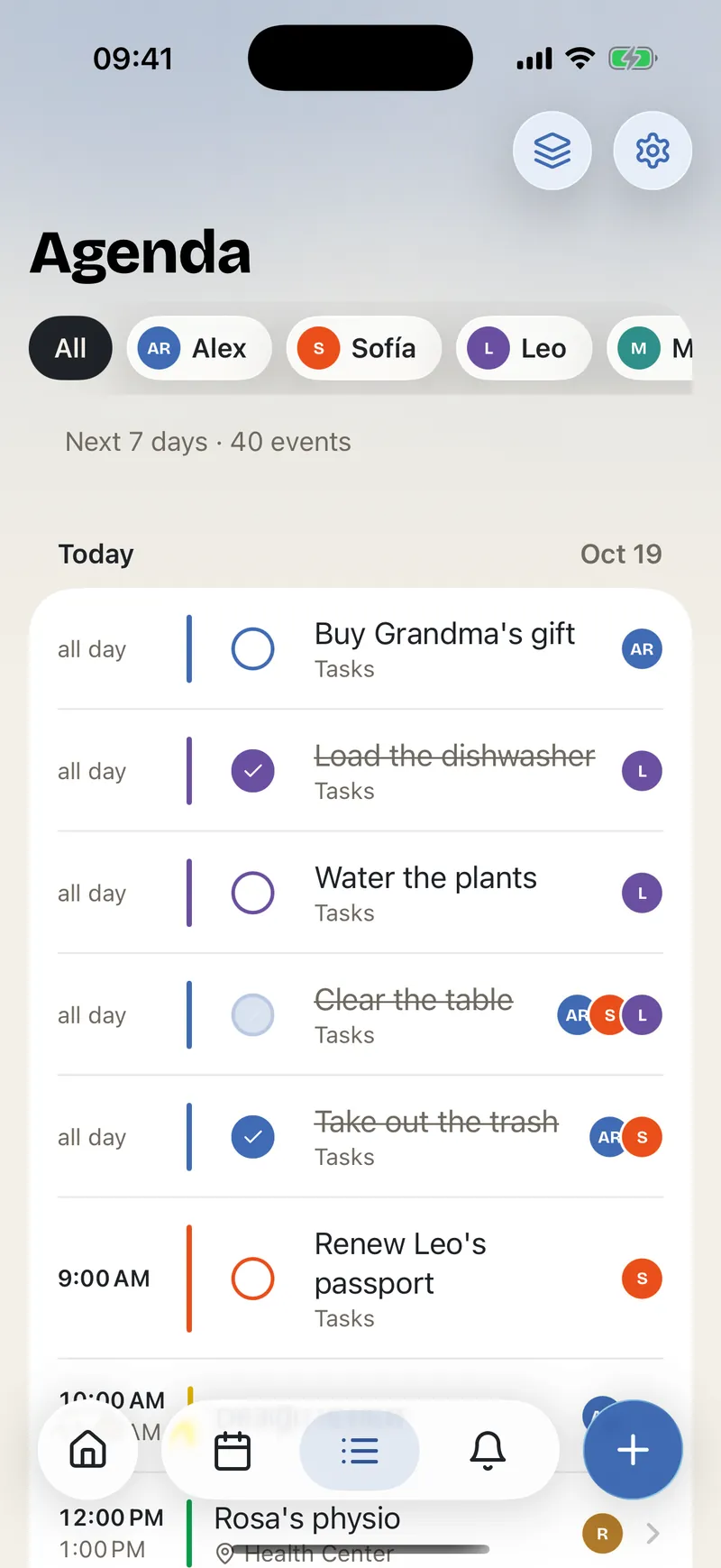
What is coming up, one thing after another. The agenda brings events, reminders and timed tasks together without switching screens.
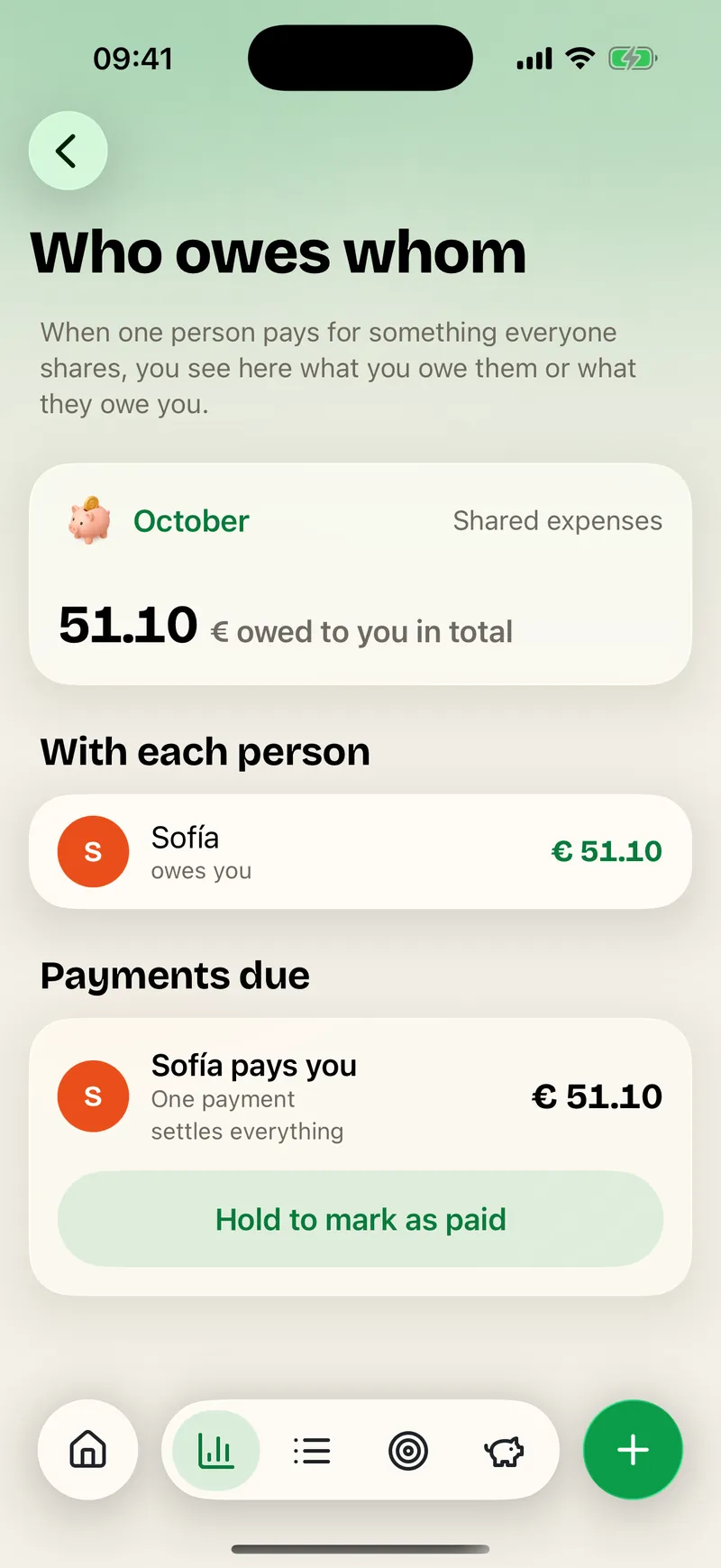
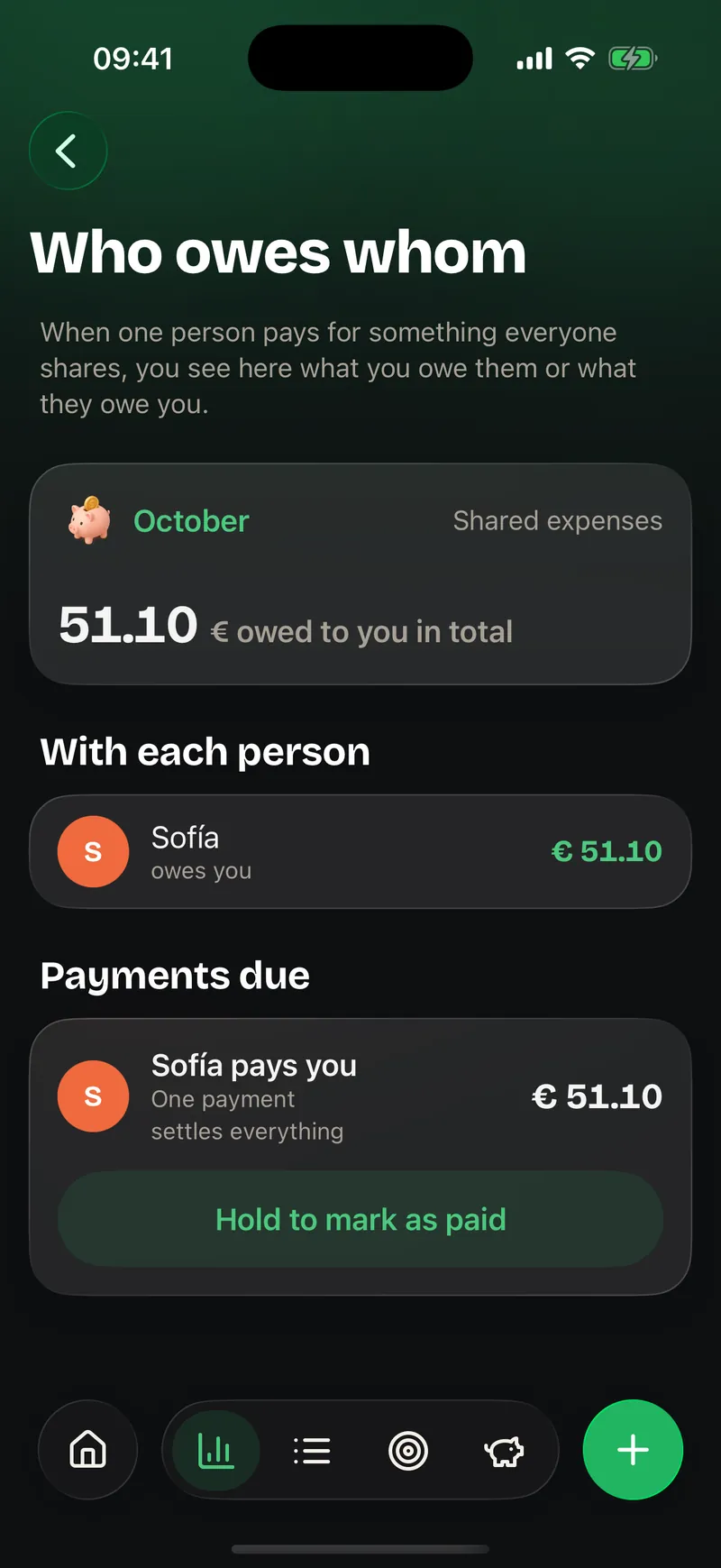
Balances
Ohana works out who owes whom. When someone pays a shared expense it is clear what they are owed, and a single payment settles everything.
People and spaces
Two ideas are worth having clear in Ohana.
A space is a shared place: "Rivera Home", "Grandma Rosa" or a shared flat. Each has its own modules and people. You also have one just for you, the personal space.
A person doesn't need an iPhone. A child, a grandmother or even the pet can have a profile managed by an adult. That way Leo shows up in the calendar and the tasks even if he doesn't have a phone yet.
Your data is yours
Ohana keeps your data on your iPhone. We have no servers with your family's information, no ads and no third-party analytics. Receipts are read on the device and the image never leaves it. Syncing with your iCloud, so all of you see it on your iPhones, is what comes next.
What's next and how to help
Ohana isn't on the App Store yet, and we'd rather tell you the way there honestly. In the Changelog you can see what already works, what we're testing and what comes after. And if you're missing something, ask for it right there: what gets the most votes decides what we build next.
Thank you for getting this far. In the next post we'll start from the beginning: how to create your first space and invite your family.

Hear when Ohana is ready
We write only when there is real news.